Monday, March 2, 2020

Week 5, Spring 2020

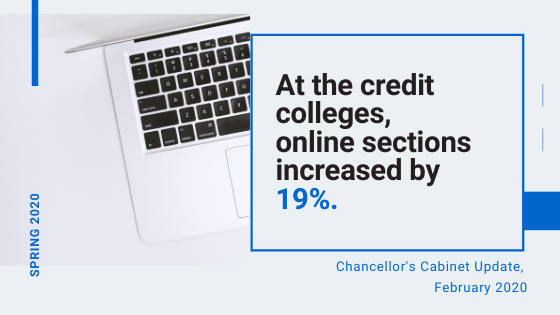
SDCCD Chancellor's Cabinet Update, February 2020

Canvas Hacks: Coronavirus


Well, not only is it flu season--the Centers for Disease Control (CDC) just this week urged schools to begin making plans for "teleschool" in case there is a nationwide spread of coronavirus that leads to school closures. In fact, local San Diego K-12 is currently contacting parents about preparedness measures.


We should talk.

Our fully online students are in a sweet spot: if school closes or if they need to quarantine, they have all the materials they need right there online. Read, view, learn, submit, get feedback!

The trick comes in covering classes that are set up to meet in person. Can we use Canvas and other online tools to provide students with ongoing access to course materials if we have to, er, step away from campus for a bit?

Here are some ways we can start right now to use Canvas for possible "away missions," even for in-person classes:
  • Store material such as links, videos, handouts, and quizzes in your Canvas shell or other LMS, including things you're currently planning to use in person. You want students to be able to access your materials if you're not there! [You can publish/unpublish individual items at will so you don't give away any secrets before you want to.]
  • Use the Discussion Board & peer replies to achieve a virtual class discussion.
  • Use Modules and Pages to create short written versions of key concepts.
  • Use Announcements to contact your students. Since these go out as emails as well as being stored on the class site, you can use also these to introduce the concepts for the day/week. So far, I haven't hit the limit on length, but I'd opt for several shorter messages over one long one. Just sayin'. The students are reading these on their phones!
  • Upload screenshots and still images to illustrate concepts you'd normally demonstrate in person.
  • Show students now how to upload assignments electronically. (If you haven't already, set up assignment instructions and submission links in your Canvas shell to test them out, even if you usually grade with pen and ink.)
  • Set up a free Zoom PRO account @ https://cccconfer.zoom.us/ so you can connect with students in real-time. Try a Zoom session with them now so you know it will work when you're off campus.
  • If you're familiar with filming & posting to social media, consider creating short screencasts or videos of some of your usual lecture/instruction materials.
Yes, these don't cover every possible classroom interaction, especially in classes that require hands-on activities. But they're a start, we can do them a bit at a time now, and they can help us get through any sudden absences. Denise and I recently found that out when we were called into jury duty!

Canvas tutorials for instructors: 
Canvas tutorials for students:

Guest Blogger: 


Mary Klann
Lecturer, History Department

Collaborative Annotation with Hypothesis

Hypothesis is one of my favorite tools available for encouraging students to engage thoughtfully with course readings and with each other. I’ve used Hypothesis in face-to-face classes since Spring 2018. When I started teaching online last semester (Fall 2019), I made it a key piece of each module.

How it works:
Hypothesis is an open-source annotation tool which allows students to annotate any text on the web. Students can attach text comments, photos, or videos to highlighted words or phrases in course readings. As an instructor, Hypothesis provides a way for me to actually see how students are taking notes. Additionally, all members of the class can engage with each other’s notes by replying to comments.  

Why collaborative annotation?
Before integrating Hypothesis into my courses, I utilized weekly reading quizzes. I was never completely happy with these assignments because I didn’t feel as though they were the best gauge for assessing student’s comprehension of and engagement with the course readings. I’ve found reading annotations to be more fluid and flexible in terms of what students can actually get out of course readings. The best things I’ve found?

  • Students learn how to take notes! Because I can see their annotations, I can give individual feedback. I didn’t learn how to effectively annotate assigned course readings until I was in graduate school. This is a valuable skill, and one that requires practice.
  • Students can talk to each other about the course readings. They can ask and answer questions of other students. Thus, in online courses, Hypothesis helps to build community by facilitating student-to-student communication.
  • And, students get credit, just for taking notes! No more creating reading quizzes for me, no more stress of taking quizzes for them. Because annotating readings is about practicing the skills of analysis and written communication, it isn’t really about getting quiz questions “right” or “wrong,” which I find encourages students to engage more thoughtfully and deeply with the material.

What to annotate?
In order to get students thinking about what they should be writing in their annotations, I always provide a brief “Reading Guide” with questions they can answer. I also instruct them that they won’t receive credit for one-word annotations like, “Interesting,” or “Shocking!” For example, in my HIST 109 (US History to 1877) course, students just read John Winthrop’s “city on a hill” sermon from 1630. The reading guide to this source included questions such as, “What did Winthrop believe to be British settlers’ mission in New England?” and “How does Winthrop believe society is regulated by religion?” When they stop to consider a particular phrase or sentence and how it helps them answer the questions in the Reading Guide, they begin to analyze the source itself.

Here is a brief orientation video for Hypothesis that I posted for my online course, to see how Hypothesis works with Canvas: https://www.youtube.com/watch?v=mY4y8A9OM1c.

Evaluating annotations:
In my online courses, students are required to annotate 3 brief readings per module. I only require one annotation per reading. However, students rarely annotate just once! As they become more comfortable with the tool, and depending on the source, I have seen quite in-depth analyses of these readings emerge, as well as conversations between multiple students about particular themes. In terms of grading, as long as the annotations are thoughtful (and longer than the one word exclamations I mentioned above), I award full points. The goal with this assignment is to get them reading, and more critically, get them engaging with the reading in a way that helps them to understand the themes from each module more deeply.

Two options for using Hypothesis:

Student create free accounts at hypothes.is:
Students can create free accounts through Hypothesis. They can download and install the Hypothesis app into their web browser, and after downloading a PDF or opening a link to a course reading, they can start annotating. Hypothesis also provides the option of creating private groups, which students can join. This ensures that annotations can’t been seen by anyone outside of your course. Students provide their username to me so I can evaluate them.

Hypothesis App in Canvas:
Hypothesis is currently offering their LMS app for free for testing and limited use (up to 50 students for one academic term). (They are in the process of implementing an LMS Pilot Program that will provide support for schools looking to adopt it.) If you choose this option, students do not have to create a separate Hypothesis account, as the tool will load right in Canvas. You can upload individual readings to each module, or create Assignments using Hypothesis where you can give students feedback through the Speed Grader.

One of my main goals for students in my class is that by the end of the course, they will be able to critically analyze a source and effectively communicate their arguments. Hypothesis is a great way for students for students to practice these skills over the course of the semester. You can learn more at https://web.hypothes.is/.

Join in on the HOOPLA!


If  you missed our first HOOPLA Workshop: Regular and Effective Contact, Instructor-to-Student, you can click here to access the workshops slides and activities: Regular and Effective Contact, Part 1 Resources

Head to the Flex site to sign up for upcoming HOOPLA Workshops:
  • Regular and Effective Contact, Part 2, Student-to-Student, Friday, March 20, Flex # 2134
  • Accessibility in your Canvas Course, Friday, April 17, Flex #2135
  • Canvas Gradebook: Tips and Drop-in Support, Friday, May 15, Flex 2136

All workshops are in L-102 from 9:00 am - 11:00 am

Links and Resources

If you have any bandwidth left for reading, here are two recent articles that caught my attention:

"What Counts for Proximity?" a timely article from Inside Higher Ed about working remotely and the question of proximity vs. engagement.

Monday, February 24, 2020

Week 4, Spring 2020

How do Course Design Features Influence Student Performance?


Welcome to Spring 2020!

After a short hiatus, we are back with all the usual information to support you in teaching online. If you have suggestions, ideas, and/or would like to be a guest blogger please email Denise Maduli-Williams, Online Teaching Mentor at dmaduliw@sdccd.edu


Canvas Hack: Enabling Personal Pronouns


Did you know there is a new feature on Canvas to add pronouns to a profile? Pronouns are then visible in your account profile, and after your name throughout Canvas.

For step-by-step directions, click here: Enable Personal Pronouns

Professional Learning Opportunities

HOOPLA (Hands-on Online Practical Learning Activities) Workshop Series. 

These workshops are designed to share ideas and activities to enhance your online, hybrid, and onground classes.

If you missed our first workshop, you can view the workshops site with slidedeck and resources here: Regular and Effective Contact, Part 1: Instructor-to-Student Interaction.

Head to the Flex site to sign up for the other upcoming workshops. Hope to see you there:


Canvas Institute Spring 2020

Dave Giberson is hosting an amazing series of Canvas workshops held online via Zoom. If you can't make it live, the workshops are all archived. Click here for the full schedule: Canvas Institute Schedule

Upcoming workshops include:
  • 1/29/2020, 2-4 pm, Flex # 1737, Grading in Canvas
  • 2/3/2020/ 10 am - 12 pm, Flex # 1738,  Accessibility in your Canvas Course
  • 2/7/2020, 9-11 am, Flex # 1739, Screencasting for Canvas


SPACES - Social Presence, Accessibility, Collaboration, Engagement for Students 


This self-paced online training series is hosted on Canvas and includes a variety of training modules that you can complete and earn badges on your own. 

Head to the Flex site to sign up:
  • Social Presence, Flex # 1230 
    • Clips App and Spark Stories
  • Accessibility, Flex # 1231 
    • Universal Design for Learning (UDL)
  • Collaboration, Flex # 1232 
    • Flipgrid and Discussion Board Strategies
  • Engagement, Flex # 1233 
    • Zoom for synchronous interaction &  asynchronous engagement
  • Student Tools, Flex # 1234 
    • Technology for Optimizing Online Learning for Students


Online Teaching Conference (OTC 2020)

June 17-19, 2020, Pasadena Convention Center

Register here: OTC 2020


The Online Teaching Conference (2020 will be its 20th year) is a unique face-to-face premier gathering of faculty, staff, and administrators leading the way in developing innovative and effective online education. As an inter-segmental conference focused on curriculum, pedagogy and technology to improve online instruction, learning, and student success, the Online Teaching Conference is an opportunity for educators to network with colleagues, connect, share knowledge, impart and receive best practices, and develop professionally.

Links and Resources


I just learned about the DoubleTake app which allows you to film simultaneous footage on your iPhone and I can't wait to level-up my videos. Here's a quick tutorial: Dual Lens Recording

These are all new to me: 6 Ed Tech Tools to Try in 2020

From the Chronicle of Higher Education, How to be a Better Online Teacher (Thank you Dean Ben Gamboa for sharing this!)

This handy Canvas Course Checklist may encourage you to try out something new.

From Faculty Focus, Pedagogies of Online Welcome


Wednesday, December 11, 2019

Week 16, Fall 2019


A Warm Farewell: How I wrap up my online courses:


As the semester ends, I thought I would share the activities I do in the final weeks to wrap-up my online courses smoothly. We may not be able to have in-class parties, but there are other ways to conclude a course warmly.


I end the final module with firework GIFs and a celebratory Instagram post


Students say their final farewells to each other via video using Flipgrid


I ask students to offer words of wisdom and advice (using text, audio, or video) to future students using Voicethread on our Wisdom Wall.


Finally, I end with an anonymous survey using Google Forms that helps me reflect and make changes for the next semester.


Canvas Hack: Using Statuses in Gradebook


Here's another neat trick in the Canvas Gradebook: you can color code grades that are late, missing, resubmitted, dropped (as in, you're dropping the lowest grade) or excused. This lets you see students you may want to contact at a glance.

In the Gradebook, go to the View pull-down menu. Click on Statuses. 


The menu will look something like this (I've messed around a little with the hex codes and switched color choices):

Click on the 3-dot menu and hit apply to select an option. I've chosen late and missing, so my gradebook looks like this:


It's a quick way to get an overview of students who need help.


DET/CHE Conference Recap

I attended DET/CHE for the first time last week and highly recommend it. Next year's conference will be in December 2020 in Sacramento. 

Here are just a few highlights I've rounded up for you:


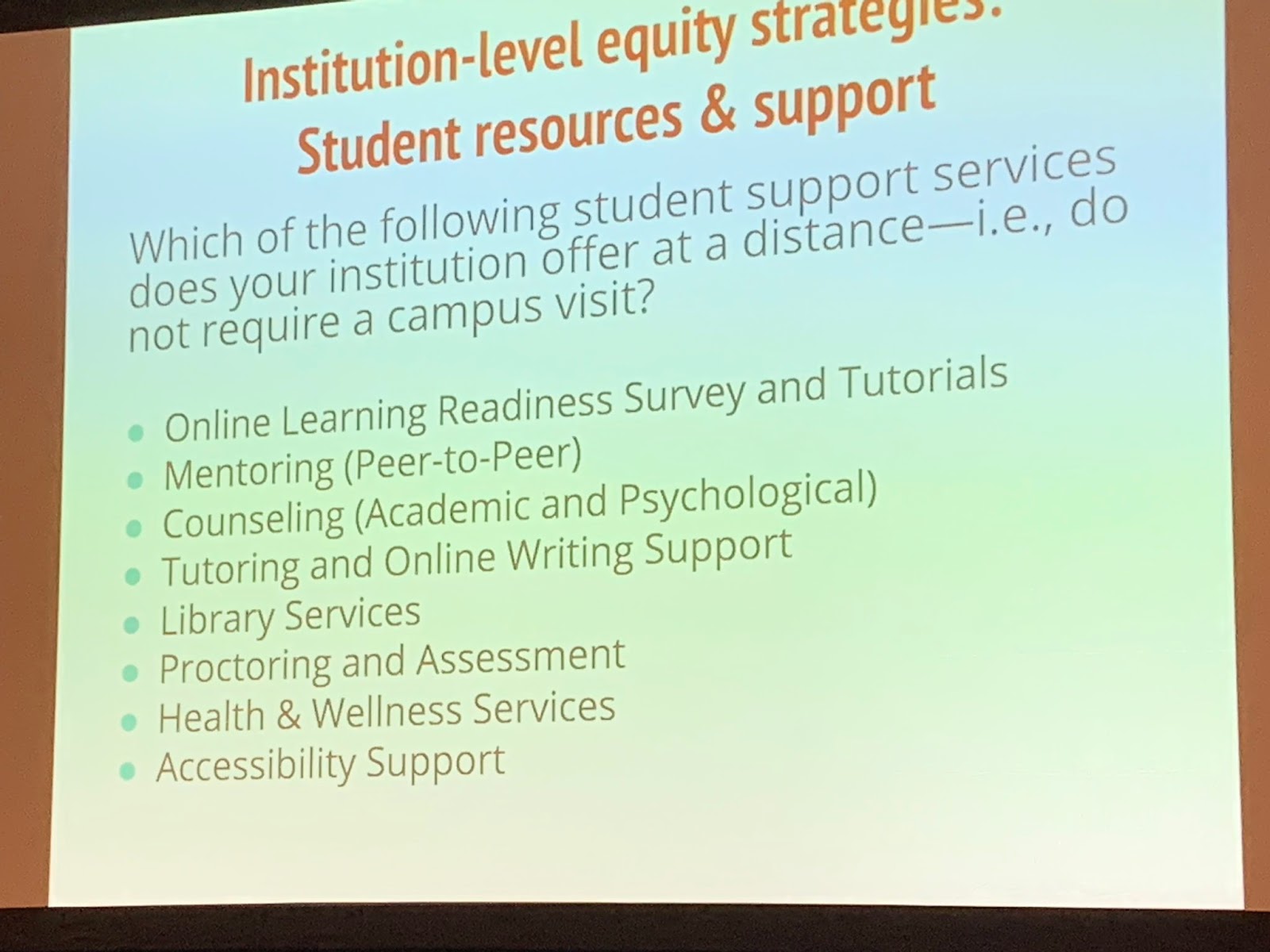
Opening Keynote by Kevin Kelly, Ed.D on Increasing Equity for Online Learners: Course and Campus Strategies


My favorite presentation was this panel on Defining Leadership in EdTech facilitated by Michelle Pacansky-Brock from CVC-OEI, featuring Bryan Best (University of LaVerne), Fabiola Torres (Glendale College), and Andrew Roderick (San Francisco State University).


Wonderful presentation by Jim Julius, Faculty Director of Online Education at MiraCosta College: Streamlining Access to Student Support Services Through the LMS and a link to the Canvas course: Online Student Support Hub Guide


I also learned about this online resource LibGuides: Copyright Crash Course

What really impressed me was UCSD's Studio U: a self-service video studio for faculty which includes a Learning Glass, green screen, and everything faculty need to record professional quality instructional videos.

For more presentation links check the schedule here: DET/CHE schedule and see Twitter conference posts here #detche19


Links and Resources

Speaking of conferences, The Call for Proposals is open for the Online Teaching Conference in Pasadena, June 17 - 19

By the Chronicle of Education, How to Make Smart Choices About Tech for your Course

From Faculty Focus, Principles that Online and Flipped Teaching Can Learn From Themed Museum Exhibits

This book is on my list to read over the break.

I'll be keeping a close eye on the news that Instructure (Canvas) is set to be acquired by the private equity firm Thoma Bravo

If you want to learn more about Unicheck, you can view this demo recorded last spring: Unicheck Demo.

Call for Guest Bloggers, Spring 2020


My favorite part of this blog has been our Guest Blog Posts where we got to peek inside the courses of faculty teaching online. I hope you will consider writing a short blog post about your experiences teaching online or in any digital and tech-enhanced format!

Please reach out to me at dmaduliw@sdccd.edu to schedule a week to be a guest blogger and/or with ideas or tips for next semester's blog posts.

Sunday, November 17, 2019

Week 14, Fall 2019


Guest Blogger

Suganya Sankaranarayanan
Adjunct Instructor
School of Business, Technical Careers and Workforce Initiatives


Oopsie Woopsie!

Suganya created a video for her guest blog post. View it here and/or see the transcript below.


Transcript:

From a student's point of view, taking an online course can be daunting at the beginning and there could be various reasons behind this. Some of my students have mentioned that taking an online class felt like an isolating experience for them. The reason is because they were not able to make connections with their peers, instructors, or the course itself. Humanizing a course can help make a class lively and interactive so that students don't feel distant. Us instructors, being human, make them feel that they are part of the class environement.

As a part of humanizing the course, there are a few things that I do to make students know that being imperfect is perfectly fine. One such example is my blooper videos. I upload my blooper videos on Canvas occasionally. How has this helped my students you may ask? Students feel more comfortable sharing their thoughts and opinions both with their peers and with me because they don’t feel pressurized about the need to be “perfect.” Even for assignments that require for them to talk or do a presentation, they know that it’s okay to make mistakes and to learn from them. So, here’s one of my blooper videos and I hope you all enjoy watching it! 

Now view the short Blooper Video that Suganya shares with her students below:


Canvas Hack: Student View - Grades


There's a nice little feature in the New Canvas Gradebook--you can get to an individual student's view of grades right from the gradebook.

In the Gradebook, click on the student's name. A context card will pop up:


There are several things you can do from here, including emailing the student and viewing the New Analytics (more on that in an upcoming post). If you click on Grades, you will see what your student sees:


Try This!


Answer Garden

Use this for quick feedback in your online or face-to-face classes. Students don't need to create an account or login to participate.

Add your answer below to see how it works:


Links & Resources

The Global Education Conference takes place online, around the clock from Monday, November 18 - Wednesday, November 20.

A great little thread on how to encourage questions from students.

Another reason including voice online is important: The Human Voice Can Communicate 24 Emotions

Four Lessons From Moving a Face-to-Face Course Online