Saturday, March 21, 2020

Special Edition #3: Canvas Hack: Editing Announcements


Ever wish you could edit Canvas Announcements? Well, you can. It's a little sneaky. You use the delay option. This function was designed for times when you want to write an announcement ahead of time and release it as needed, but it also works as an face-saving edit tool.

As you've probably noticed, when you hit Save in Announcements, the post gets emailed to all students immediately. Even if you go back and edit a typo, it changes only what's on your course shell. That first message, with all its typos, has already left the building.

So, if you know that you will want to add or adjust what you say later (or are just really, really tired and are in danger of creating multiple, embarrassing typos) you can delay the post.

In the Options menu at the bottom of the announcement, click delay, pick a date you know is too far in the future to cause you problems if you forget to change it, and then save. You can come back and edit right up until that date you chose rolls around.


Monday, March 16, 2020

Special Edition #2: Latest Resources and Links

Resources and Links:


So many resources, links, and tips are being shared to help us move to temporary remote instruction. Here are some that I've found particularly helpful:


Please go there. The SDCCCD has curated doable, smart, tips for teaching remotely and it's on a Canvas shell (you do not need Canvas to login), so that you can also get a feel for Canvas Modules.

Instructional, Student Services, and Shared College Resource Information
From the CVC-OEI, this Canvas Course (you do not need Canvas to log in), has provided pages that support individual colleges with the development of instructional continuity resources to support faculty and professionals.

Dave has been doing nonstop Zoom and Canvas trainings via Zoom and recording all of them. Trust me, these are helpful and what you need to get set up. You can watch them when you want to, pause to follow along, and rewatch as needed.

This the best tutorial for quick-starting Zoom. Thank you Katie Palacios!

Zoom for Students in Under 5 Minutes
Don't forget to share with your students!

VitalSource and Publishers
VitalSources will have free access to digital learning materials through the remainder of the Spring 2020 semester.

Charter Communications
Free access to spectrum broadband and Wi-Fi for 60 days for K-12 and college student households.

    A wonderful article by our CVC-OEI @ONE Faculty Mentor of Online Teaching and Learning, starting with the recognition of how stressful this time is for our students, and one small tip to reach out.

    Facebook Groups
    If Facebook is your thing, you'll notice there are a number of groups now that are sharing wonderful crowdsourced tips for teaching. Many are specific to discipline as well. Here just a few:


    Sunday, March 15, 2020

    Special Edition #1: Temporary Remote Teaching


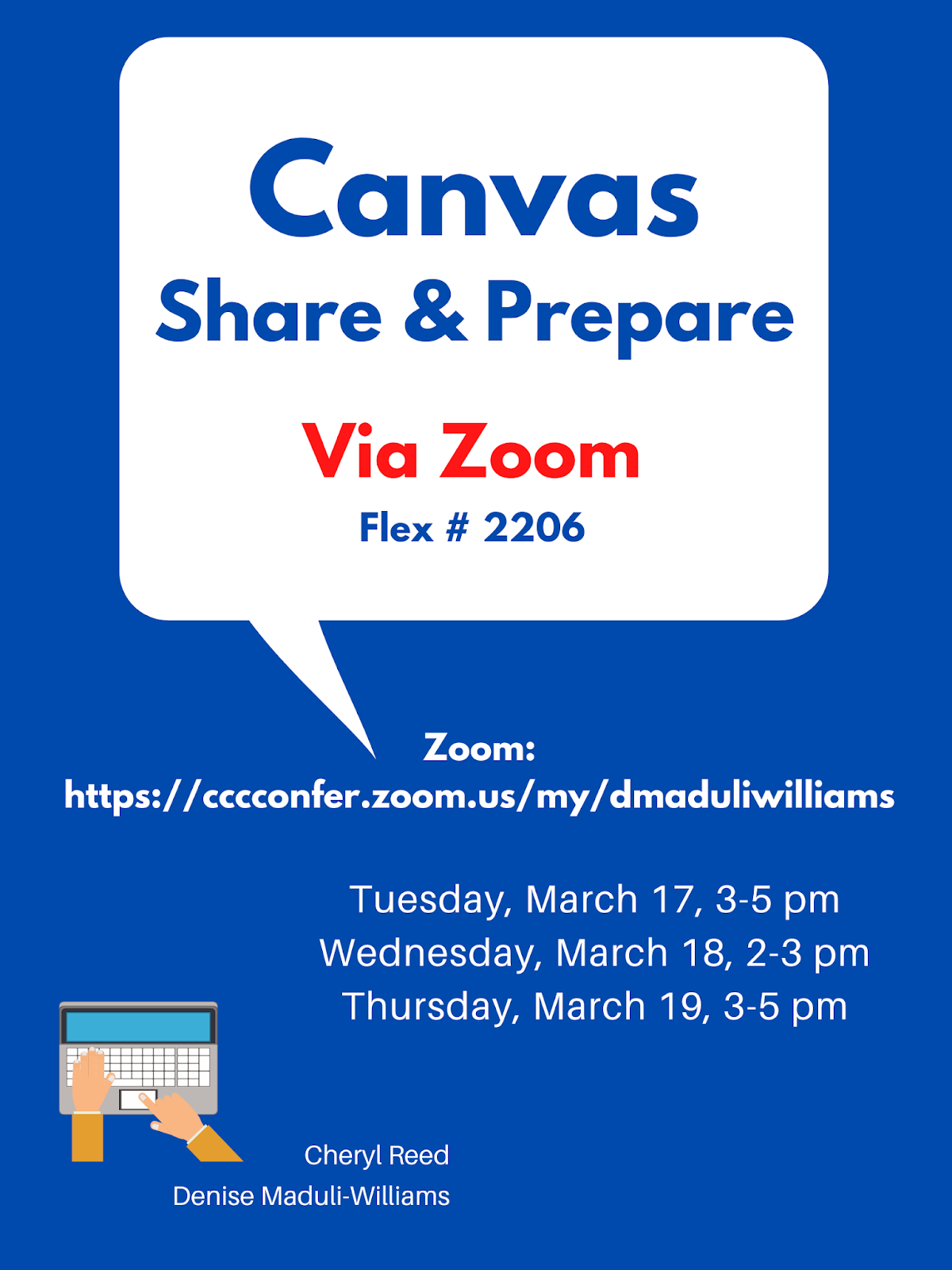
    Upcoming Canvas Workshops


    Resources

    Reach out to the experts and colleagues in your department and discpline. There are many questions and issues that depend on what you teach.

    A wonderful curated playlist of educators creating brief How-to Videos in support of remote teaching: Keep Teaching Playlist

    Thinking about how to reproduce some of what you do in a face-to-face classroom to an online setting can be challenging. This table from Jim Julius, Director of Online Learning, MiraCosta College, includes specific ideas: Taking Classroom Activities Online


    Temporary Remote Teaching

    As we think about how to support students through temporary remote teaching, here are a few considerations:

    1. Communication with students. Students are even more worried and stressed than we are, so be sure to let them know how they can reach you and how you will communicate with them. That could be through email, Canvas inbox, or other apps that you may have already set up (Pronto, Remind, etc.). If you are meeting students still, this is the number one priority - how can they communicate with you (and you them) not for compliance, but because you care.

    2. Canvas. Using Canvas is not mandatory, but all of us already have Canvas shells provided for us for our F2F classes. You can quickly set yours up to at least be able to hold discussions and/or send announcements. Just be sure to publish your course. There are many tutorials below:

    How to Log in to your Canvas shell:
    • URL: http://sdccd.instructure.com
    • USERNAME: 10-Digit Employee ID
    • PASSWORD: 8-DIGIT BIRTHDATE (MMDDYYYY)

    3. Zoom. Zoom is available to all of us for video conferencing (live or recorded). BE sure to use your SDCCD email to create a Pro account.
    4. Youtube. In addition to using Youtube to upload videos you create, you can also create an account and then curate existing videos into a playlist to share with students. 
    5. Other technology tools. There are variety of tech tools that can support the interaction, engagement, learning, and assessment in online spaces. Some that have been highlighted on this blog in past posts include:
    • VoiceThread
    • Flipgrid
    • Hypothesis
    • AnswerGarden
    • Padlet
    • Google Suite (Docs, Sites, etc.)
    • Adobe Spark Suite (Posts, Pages, Video)
    • Perusall
    Many of you are already using some or all of these. However, it's not the time to overwhelm yourself or students with a bunch of new tools. If you want to try one, fine, but also don't feel obligated to.


    Be kind, be flexible, be patient.

    Tuesday, March 10, 2020

    Helpful Resources to Keep Teaching


    Excellent resources from CVC-OEI Online Network of Educators on How to Keep Teaching During an Emergency. They include straightforward things we can do to keep communicating, teaching, and assessing students.


    Our SDCCD Canvas Shell of Resources and Training Materials for Online and Web-enhanced Teaching


    From the Chronicle of Higher Education: Going Online in a Hurry: What to Do and Where to Start?


    Spring 2020 Canvas Institute


    ZOOM Sessions:  All listed workshops will be held online via Zoom. Zoom URL https://cccconfer.zoom.us/my/dgiberson
    By Popular Demand:
    Date
    Time
    College
    Cont. Ed
    Topic
    Presenter
    3/12/2020
    2-4 pm
    Flex #2176
    Flex #11464
    Intro to Canvas and Canvas Q&A
    Dave Giberson
    3/17/2020
    9-11am
    Flex #2177
    Flex #11465
    Intro to Canvas and Canvas Q&A
    Dave Giberson
    3/20/2020
    10am-12 pm
    Flex #2178
    Flex #11466
    Intro to Canvas and Canvas Q&A
    Dave Giberson

    Monday, March 9, 2020

    Week 6, Spring 2020


    Canvas Hack: Continuity of Instruction

    Emergency Preparedness & Online Learning

    Resolution-Miramar Distance Education Committee:

    The Centers for Disease Control (CDC) recently urged schools and other public institutions to begin making plans for "teleschool" in case there is a nationwide spread of coronavirus that leads to school closures. The Miramar Distance Education Committee encourages all faculty (even those teaching on-campus classes) to consider how they can use the features of Canvas and other online tools to provide students with ongoing access to course materials as a general preparedness measure.


    To be clear: We're talking here about how classes can engage in "temporary remote teaching" where applicable. We aren't talking about any classes magically becoming Distance Education courses or about suspending online teaching certification. However, the CDC has asked schools to consider how they might use online tools to provide "continuity of instruction" should school closures or individual student quarantines become necessary.

    How can we maintain discussions with our students and continue applicable coursework remotely for a short, temporary period of time during a public health situation? 


    To go to last week's post with many ideas for using Canvas including a variety of tutorials: Week 5 Canvas Hack


    OER Resources

    Angela Boyd, Miramar Librarian


    Are you interested in trying out an OER textbook for your class? Maybe you would like to see the latest that is out there for your subject area. 


    • The University of North Georgia is giving away print copies of approximately 30 titles that are free to you if you request a review copy. The subjects range from accounting to literature to warfare. Digital copies are freely available on their website: North Georgia Textbooks and OERs  
    • Bookstores, libraries, schools and educators, museums, stores and gift shops, book bloggers, book review programs are all eligible to receive a review copy. To order one, please go to this site: Request a Review Copy 

    As always, if you have any questions about OER/ZTC materials, please come see me in the library or or give me a holler at 619-388-7310.

    Links and Resources


    Pronto is now available at no cost to faculty in an effort to allow teachers and students to stay connected while they work from home. (I've been using Pronto this semester to stay in touch with students and they love it).

    They aren't the only company, there's a growing list of EdTech Companies offering FREE subscriptions during closure.

    It's not as simple as "flipping a switch," Learning in a Pandemic Part 1 and Part 2.

    On a positive note, in this Inside Higher Ed article, "Quiet Power," by Karen Costa explains how online learning benefits introverted students.