Friday, March 27, 2020

Week 8, Spring 2020

Slide from Humanizing Remote Teaching & Learning Webinar, Michelle Pacansky-Brock


Well here we are at the end of our first week fully online as an entire college!

As we head into a well-deserved Spring Break, here are just a few links and resources for you to mull over to support you and your students when we return:

Try This! 
DIY Doc Cam


Dr. Jae Calanog, Assistant Professor of Physics and Astronomy 

Jae created his own DIY document camera for Zoom sessions based on a hack he saw on Instagram:

           Inspiration from Professor Krissy Venosdale                                   Jae's DIY doc cam                                

You can also try a Shoebox Hug to create a DIY doc cam with a simple shoebox and your phone:

See Bonni Stachowiak from the Teaching in Highered Podcast show how here: Shoebox Hug Document Camera

Student Information Links


Duane Short, Professor, Business

Duane pulled together a list of resources for our students during the campus closure and public health emergency.
California has launched a new website to provide useful COVID-19 information to all state residents. It highlights critical steps people can take to stay healthy and includes public service announcements from state health leaders.
Here are some student resources and FAQs related to education from the California Community Colleges Chancellor's Office.
The California Department of Education has made an app to help families locate meals during school closures due to the COVID-19 pandemic.
The California Department of Public Health is maintaining a COVID-19 information page with updates and guidance about the disease.
The California Immigrant Youth Justice Alliance has a wealth of information and resources for undocumented families, including resources by region.
There has been an increase in fraud schemes related to COVID-19 including fake emails and counterfeit treatments or equipment. 
The CDC has put together a guide on easing fear and anxiety during this uncertain time.
The meditation site Headspace is offering a free collection called Weathering the Storm. It offers guided meditations and sleep and movement exercises to help get everyone through this time.
If you or someone you know is struggling with mental health or suicidal thoughts, please call the National Suicide Prevention Lifeline at 800-273-8255 or text the Crisis Text Line at 741741.
We can all safely help our communities during this difficult time. You can find a number of ways to take action on the California Volunteers website. I will accept any volunteer work you do as extra credit in lieu of a workshop or student club meeting.

Two Timely Webinars


Denise Maduli-Williams (and Bella)

If you missed either one of these webinars, the slides and recording are here and as we push forward online, we must consider these timely topics:

Humanizing Temporary Remote Teaching and Learning, by CVC-OEI Online Faculty Mentor, Michelle Pacansky-Brock

Equity Minded Online Teaching Practices, by Dr. Luke Wood and Dr. Frank Harris III from the Center for Organizational Responsiblity and Advancement (CORA).

Monday, March 23, 2020

Special Edition 4: Canvas Hack: Create a Internet Access Survey


Thanks to Mara Palma-Sanft for sharing a survey her high schoolers received in preparation for going remote!  This can help you get a sense of your students' ability to access your course materials online, and work directly with students who may have challenges that have nothing to do with course content.

I revised the high school-oriented survey to reflect Miramar's setup and created a poll in Canvas for my students. 


 To create a poll in Canvas: 
  • Create a new Quiz
  • Select UNGRADED SURVEY in the pull down menu
  • Create multiple choice or fill-in-the blank questions
  • Save and publish!


Technology and Internet Access Survey

Instructions: This is a quick survey to let us know the best way to keep you in touch with online class materials. If you need to talk beyond the questions here, please email me at -------


1.  First Name, Last Name


2.  Which of these devices do you use primarily to connect to the internet?
            Computer (Desktop or Laptop)
            Tablet (iPad, Galaxy, etc.)
            Smart Phone
            I do not have access to the internet


3.
Which of the following best describes your access to the device (computer, tablet, smart phone)?
            I have exclusive use of the device.
            I share the device with others.


4 . What's the best time for you to access course materials/the Internet?
            In the morning
            In the afternoon
            In the evening
            Any time I need it

5.  Where do you access the Internet?
            At home
            At work
            At a public place like the library
            At a friend's


6. Is there a data limit on your internet access?
            Yes
            No

7.  Do you have the capability to watch videos, Face Time, or Skype?
            Yes
            No

8. How many people use your Internet access?

Saturday, March 21, 2020

Special Edition #3: Canvas Hack: Editing Announcements


Ever wish you could edit Canvas Announcements? Well, you can. It's a little sneaky. You use the delay option. This function was designed for times when you want to write an announcement ahead of time and release it as needed, but it also works as an face-saving edit tool.

As you've probably noticed, when you hit Save in Announcements, the post gets emailed to all students immediately. Even if you go back and edit a typo, it changes only what's on your course shell. That first message, with all its typos, has already left the building.

So, if you know that you will want to add or adjust what you say later (or are just really, really tired and are in danger of creating multiple, embarrassing typos) you can delay the post.

In the Options menu at the bottom of the announcement, click delay, pick a date you know is too far in the future to cause you problems if you forget to change it, and then save. You can come back and edit right up until that date you chose rolls around.


Monday, March 16, 2020

Special Edition #2: Latest Resources and Links

Resources and Links:


So many resources, links, and tips are being shared to help us move to temporary remote instruction. Here are some that I've found particularly helpful:


Please go there. The SDCCCD has curated doable, smart, tips for teaching remotely and it's on a Canvas shell (you do not need Canvas to login), so that you can also get a feel for Canvas Modules.

Instructional, Student Services, and Shared College Resource Information
From the CVC-OEI, this Canvas Course (you do not need Canvas to log in), has provided pages that support individual colleges with the development of instructional continuity resources to support faculty and professionals.

Dave has been doing nonstop Zoom and Canvas trainings via Zoom and recording all of them. Trust me, these are helpful and what you need to get set up. You can watch them when you want to, pause to follow along, and rewatch as needed.

This the best tutorial for quick-starting Zoom. Thank you Katie Palacios!

Zoom for Students in Under 5 Minutes
Don't forget to share with your students!

VitalSource and Publishers
VitalSources will have free access to digital learning materials through the remainder of the Spring 2020 semester.

Charter Communications
Free access to spectrum broadband and Wi-Fi for 60 days for K-12 and college student households.

    A wonderful article by our CVC-OEI @ONE Faculty Mentor of Online Teaching and Learning, starting with the recognition of how stressful this time is for our students, and one small tip to reach out.

    Facebook Groups
    If Facebook is your thing, you'll notice there are a number of groups now that are sharing wonderful crowdsourced tips for teaching. Many are specific to discipline as well. Here just a few:


    Sunday, March 15, 2020

    Special Edition #1: Temporary Remote Teaching


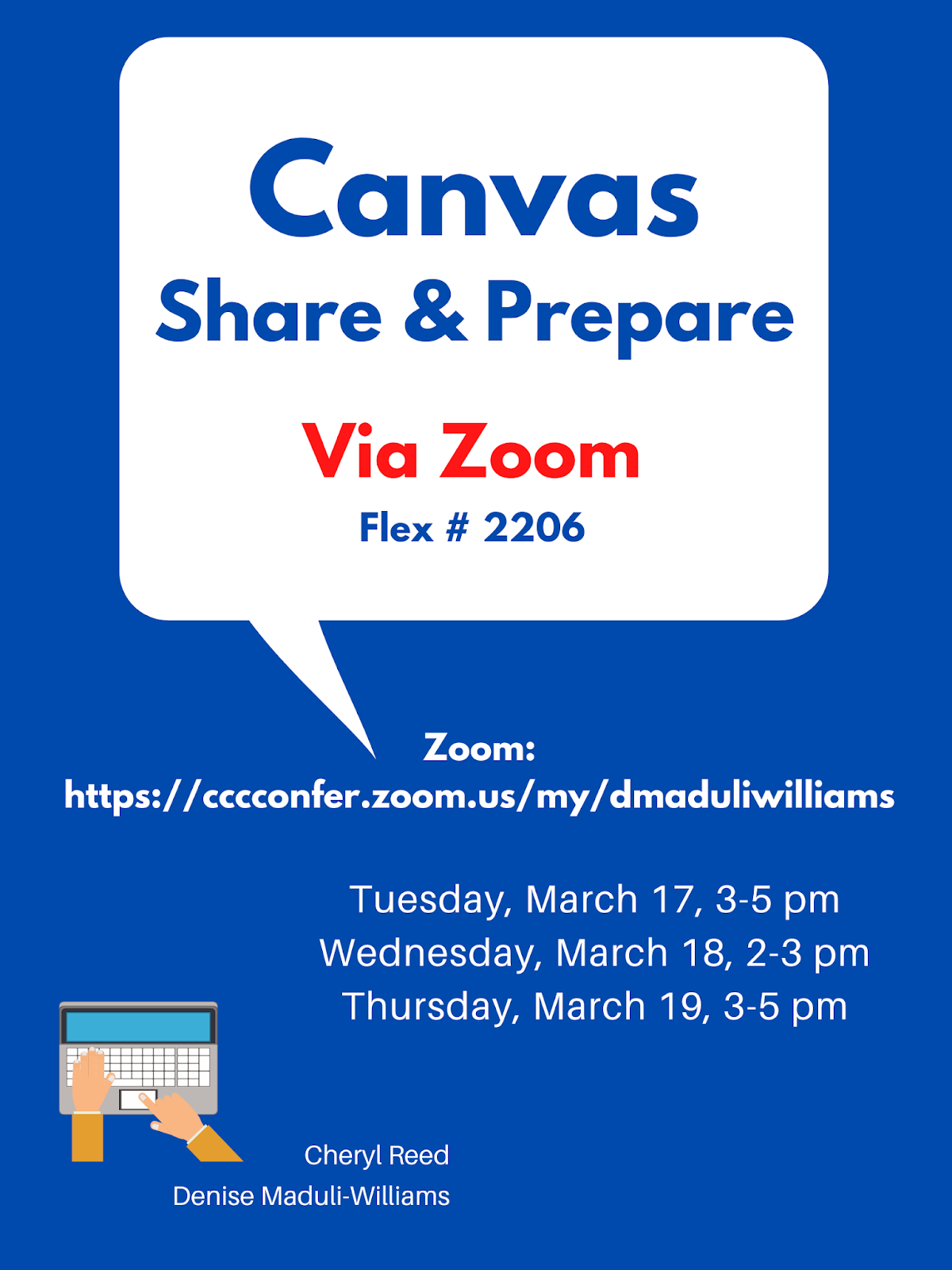
    Upcoming Canvas Workshops


    Resources

    Reach out to the experts and colleagues in your department and discpline. There are many questions and issues that depend on what you teach.

    A wonderful curated playlist of educators creating brief How-to Videos in support of remote teaching: Keep Teaching Playlist

    Thinking about how to reproduce some of what you do in a face-to-face classroom to an online setting can be challenging. This table from Jim Julius, Director of Online Learning, MiraCosta College, includes specific ideas: Taking Classroom Activities Online


    Temporary Remote Teaching

    As we think about how to support students through temporary remote teaching, here are a few considerations:

    1. Communication with students. Students are even more worried and stressed than we are, so be sure to let them know how they can reach you and how you will communicate with them. That could be through email, Canvas inbox, or other apps that you may have already set up (Pronto, Remind, etc.). If you are meeting students still, this is the number one priority - how can they communicate with you (and you them) not for compliance, but because you care.

    2. Canvas. Using Canvas is not mandatory, but all of us already have Canvas shells provided for us for our F2F classes. You can quickly set yours up to at least be able to hold discussions and/or send announcements. Just be sure to publish your course. There are many tutorials below:

    How to Log in to your Canvas shell:
    • URL: http://sdccd.instructure.com
    • USERNAME: 10-Digit Employee ID
    • PASSWORD: 8-DIGIT BIRTHDATE (MMDDYYYY)

    3. Zoom. Zoom is available to all of us for video conferencing (live or recorded). BE sure to use your SDCCD email to create a Pro account.
    4. Youtube. In addition to using Youtube to upload videos you create, you can also create an account and then curate existing videos into a playlist to share with students. 
    5. Other technology tools. There are variety of tech tools that can support the interaction, engagement, learning, and assessment in online spaces. Some that have been highlighted on this blog in past posts include:
    • VoiceThread
    • Flipgrid
    • Hypothesis
    • AnswerGarden
    • Padlet
    • Google Suite (Docs, Sites, etc.)
    • Adobe Spark Suite (Posts, Pages, Video)
    • Perusall
    Many of you are already using some or all of these. However, it's not the time to overwhelm yourself or students with a bunch of new tools. If you want to try one, fine, but also don't feel obligated to.


    Be kind, be flexible, be patient.