 |
| 2019 Survey of Faculty Attitudes on Technology |
Conference Surveys
Please take a few moments to complete the surveys if you attended the following professional learning opportunities:
- SDCCD
Distance Learning Summit
- Can-Innovate 2019 Complete this survey by Wednesday, November 6th for a chance to win a free @ONE online course valued at $65.

Dawn Diskin
CPA, MBA
Assistant Accounting Professor
What do you teach (and other roles) at Miramar?
I teach Basic Accounting, Financial Accounting and Managerial
Accounting. I am also the faculty advisor for the Miramar Business Club and
serve on the Budget and Research Development Subcommittee.
When did you start teaching online and why?
I started teaching online in 2010 after my first semester of
teaching face-to-face. I was asked if I wanted to try online teaching with no
judgement for first try and there was a demand for an online section of the
class that I was teaching, so I said yes and have never looked back.
It was trial and error the first semester, but after attending a
few workshops and conferences I was able to pick up more ideas on how to be
successful at teaching online.
What do you enjoy most about teaching online?
I enjoy the flexibility and the communication with students. I
have found that many students feel more comfortable corresponding via email and
will open up more online than in person. I also believe it is the most
efficient way for students to reach their goals faster is with a few online
classes mixed in with their face-to-face classes. Online is so efficient, no
driving, no parking issues and you can study when time is best for you.
What do you find challenging about teaching online?
It is a tough when the student doesn’t have any familiarity with
computers and technology. Sometimes in those cases a phone call can mean a lot
to a student to help them through technological issues and then they know there
is a real person at the other end of that darn computer that wasn’t cooperating
with them.
What is one tip you would give others teaching online?
I learned the most about online teaching from taking online
classes myself. I took many classes from @ONE, the online network of Educators.
Their classes model what makes an online class engaging and effective. I really
enjoyed the Humanizing Online Teaching and Learning and
the 10-10-10 Communication that Matters courses. Here is a
list of their courses @ONE Courses AND they count for Professional
Advancement through Fresno Pacific University.
Canvas Hack: Getting Great Photos

Pixabay.com is
a great source for free photos, illustrations, vectors, and videos. I use these
in my Camtasia videos, Canvas modules, and to organize my Canvas dashboard by
giving each section a little personality.
These are CCO (Creative Commons-0) and most require no attribution
(although I put them in my credits reel when I used them in my videos).
Here are some current favorites:
Here are some current favorites:




Try This!
Lumyer App

Animate your photos with Lumyer! I use this free mobile
app to create fun animated photos and videos that I add to my
Canvas modules.
Here is one I used most recently when students reached the end of Week 11: Celebrate!
Links & Resources
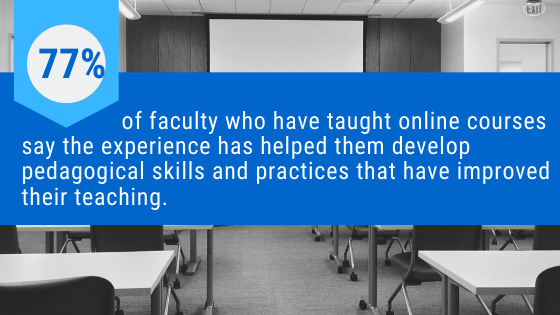
An Inside Higher Ed article worth reading, "Professors'
Slow, Steady Acceptance of Online Learning: A Survey.
Can-Innovate Archives are now available so you can view any session that you missed. I plan to view the archive on Quick Fixes Using Tools to Create Accessible Content.
Did you know that we have access to Lynda online courses, trainings, and tutorials through the Vision Resource Center? This video walks you through the registration process.
We now have New Analytics turned on in Canvas. Learn about the features here: Canvas Guide: What is New Analytics?


